
Connect it, then let an agent run it.
Cadence is a front end for calendars that already exist, and a tool belt for agents. This page covers what connects to what, how sync behaves, and what the API and the agent tools can do that the web app cannot yet.
Five kinds of account
| Google Calendar | Connected through Google's own sign-in screen. Change notices from Google trigger a sync. |
|---|---|
| Microsoft 365 | Connected through Microsoft's sign-in screen. Change notices from Microsoft trigger a sync. |
| iCloud | A CalDAV connection with a server address and credentials. |
| Fastmail | A CalDAV connection with a server address and credentials. |
| Any CalDAV server | Server address, user name, and password. |
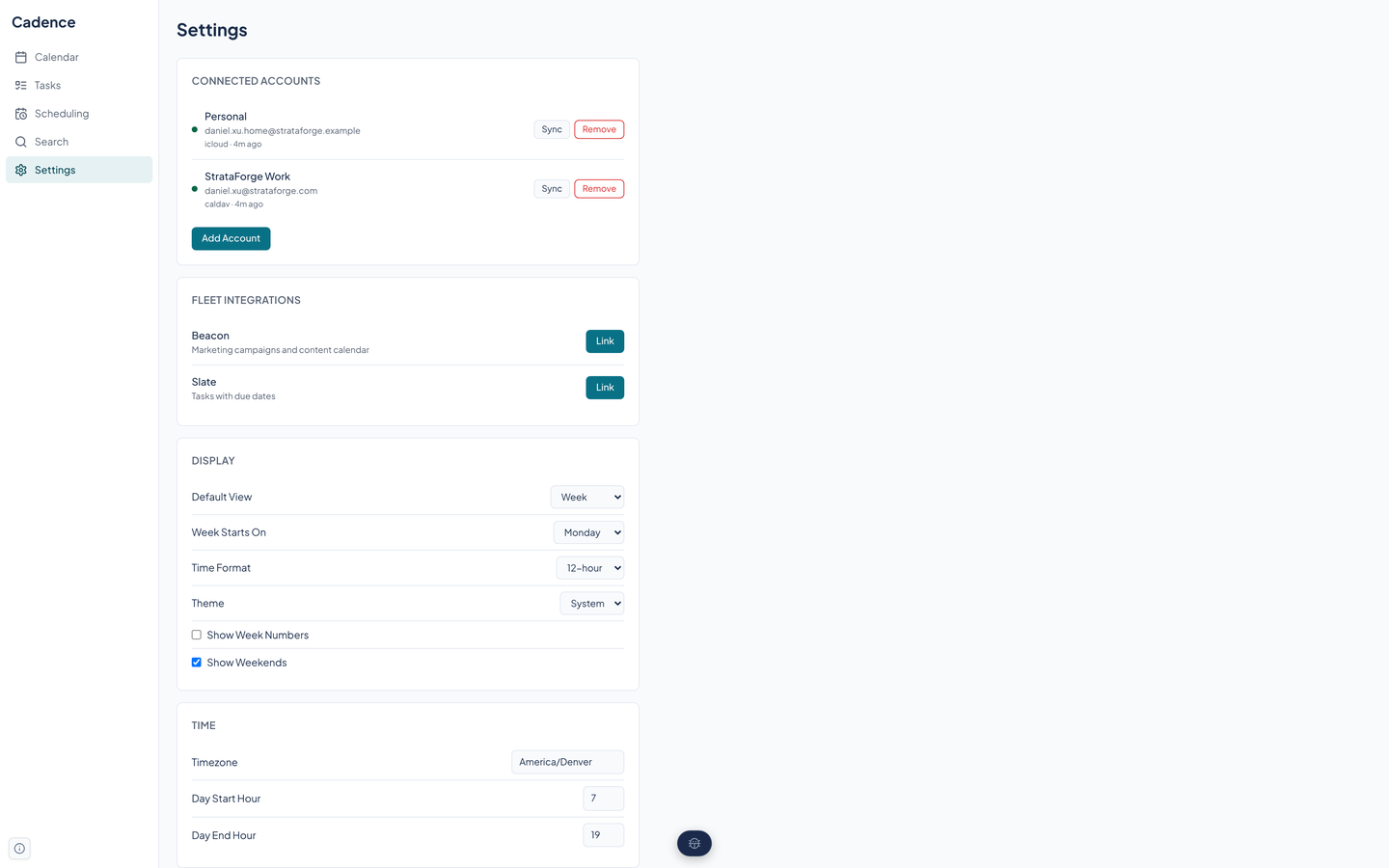
Provider tokens are stored encrypted in the database. Add and remove accounts, and press Force Sync, on the Settings page.
How sync behaves
A sync runs when you press Force Sync, when Google or Microsoft sends a change notice, or on a built-in timer that is off unless someone turns it on. An always-on schedule for production is not set up yet.
Pull
Cadence fetches each account's calendars and the events that changed, using the provider's change tokens where it has them.
Push
Changes you made in Cadence are sent back to the provider.
Settle
If both sides changed the same event, the provider's version wins, because the provider is the shared system of record.
Fleet links
Link and unlink each from Settings, or with the agent tools. Beacon can also ask Cadence for outreach scheduling proposals, described on the Scheduling page.
- Beacon
- Beacon's marketing campaigns and content appear on a Marketing calendar. The link reads from Beacon; it does not write back.
- Slate
- Slate's tasks appear on a calendar. Checking a task off in Cadence checks it off in Slate.
Calendars in and out
- Import iCalendar files and CSV files into a calendar.
- Export any calendar as an iCalendar file.
- Publish a read-only feed for a calendar. Its address carries a token that can be replaced.
- Subscribe to someone else's iCalendar feed, read-only, and refresh it on demand.
- Keep event templates and duplicate events.
These run through the API and the agent tools today. The web app has no buttons for them yet.
A sentence in, an event out
The parser reads a sentence such as lunch with Sarah every other Friday at noon for 90 minutes. It picks out the title, the date or the repeat, the time and duration, the place, the people, the calendar, whether it is a task, alerts, and a conference link.
Twelve rule-based stages do the reading first. When they are not confident enough, the sentence goes to a hosted language model (Mercury 3) for a second read; that is the only place Cadence calls one.
You reach it through the API and the agent tools. The web app has no bar for it.
62 agent tools
The MCP server is a thin layer over the API. An agent can create events from a sentence, search, check availability, build booking links, vote on a poll, finalize it, sync an account, and link Beacon or Slate. The full list is in the MCP tools section on the home page.
A second, HTTP-only tool server serves the outreach workflow.
Questions about this tool?
Write to Renkara Media Group and a person will answer.