
Seven views
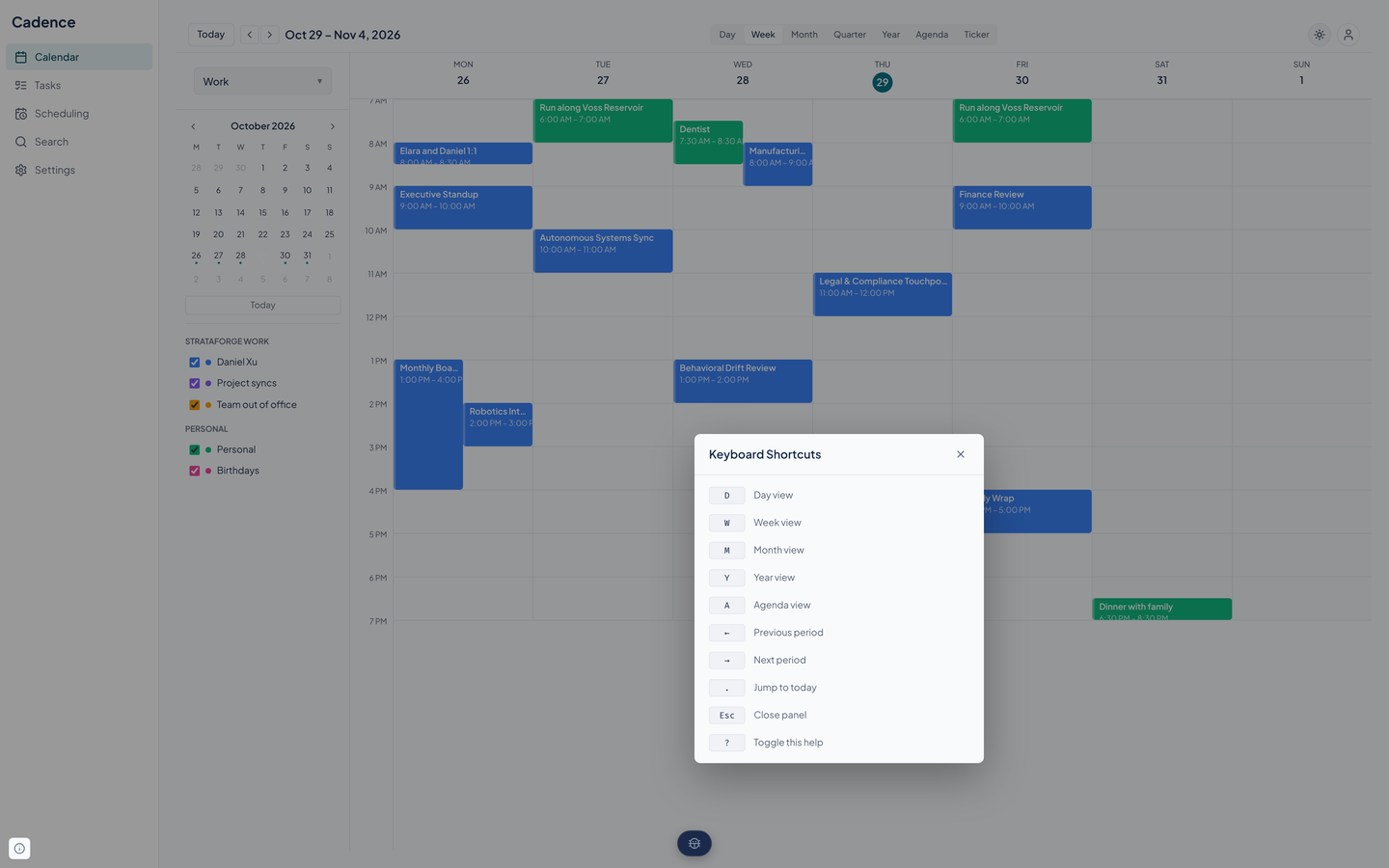
Day, Week, Month, Quarter, Year, Agenda, and a Ticker. Single keys jump between most of them, and the arrow keys move a day, week, or month at a time.
Cadence puts every calendar you keep in one week view and takes the back-and-forth out of scheduling with booking links and time polls. It is not running in production yet.

Cadence reads like a calendar and behaves like a scheduler. The web app shows your week and your tasks; booking links and time polls handle the meetings that need other people; and an API with 62 agent tools does everything else.
Day, Week, Month, Quarter, Year, Agenda, and a Ticker. Single keys jump between most of them, and the arrow keys move a day, week, or month at a time.
Meetings that run at the same time sit side by side instead of on top of each other. All-day items get their own row, and a red line marks the current time on the day and week views.
Group calendars into sets such as Work, Personal, and Everything, and switch from the sidebar. The set decides which calendars show; each calendar can also be turned on or off on its own.
Repeats follow the iCalendar rule format. Changing or deleting one can apply to just that event, that one and the ones after it, or the whole series.
Settings hold your time zone, a 12 or 24-hour clock, the first day of the week, the hours the day grid shows, whether weekends appear, and your light or dark theme.
The app listens on a WebSocket and refreshes events and calendars when something changes, so a sync or a booking shows up without a reload.
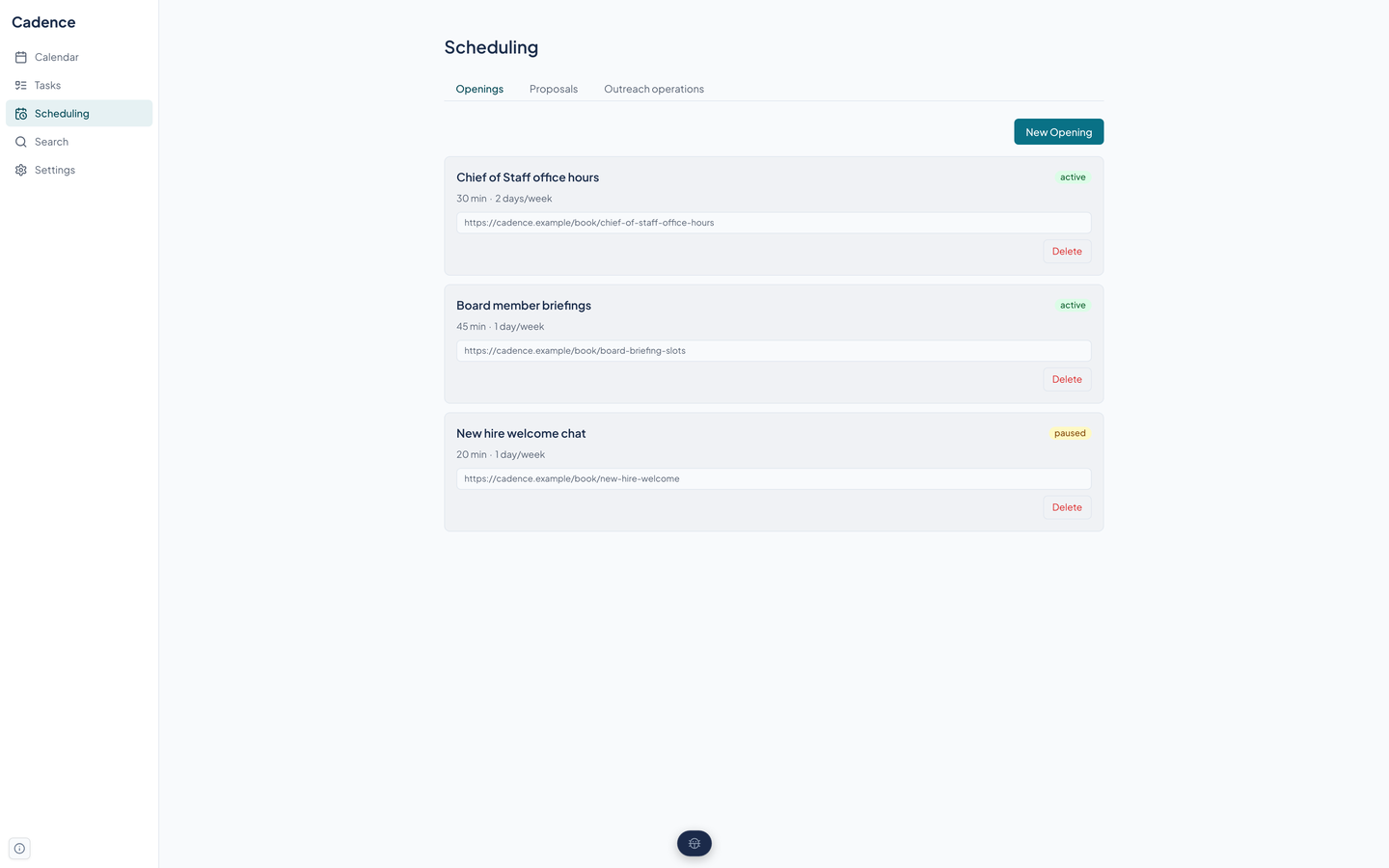
A booking link with weekly windows, a meeting length, buffers before and after, a minimum notice, how far ahead people can book, and a daily limit. The invitee needs no account.
Open slots are computed against your busy time on the calendars you choose, minus existing bookings, with the buffers applied.
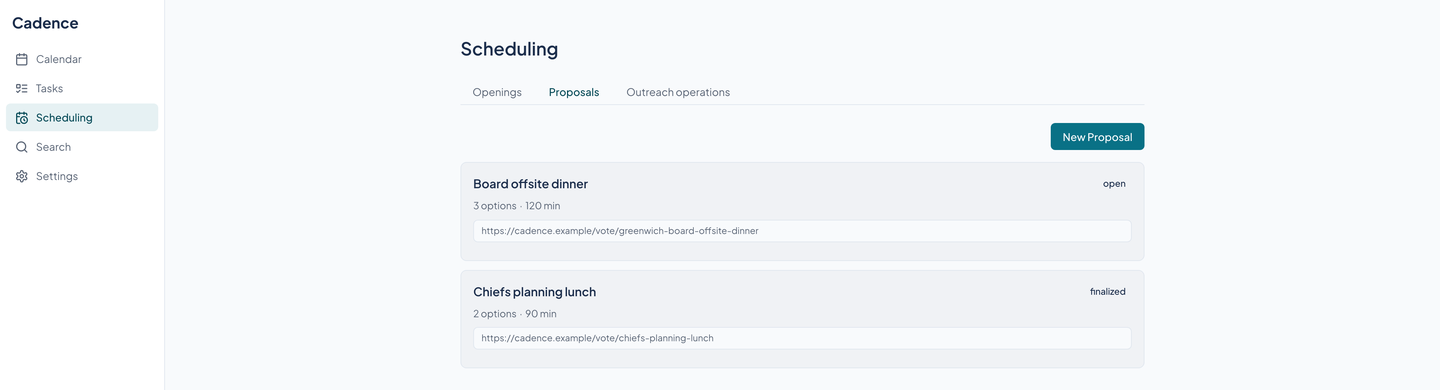
Offer several times. People vote yes, no, or if needed from a public link. When you pick a winner Cadence creates the event on the calendar you chose.
Beacon can ask Cadence for a scheduling proposal that needs approval before it goes out. An invitee picks a window, which is held briefly, and nothing is booked until they confirm.
Task lists with priorities, due dates, notes, and a check box. A repeating task makes its next occurrence when you finish it, and an overdue list is one call away.
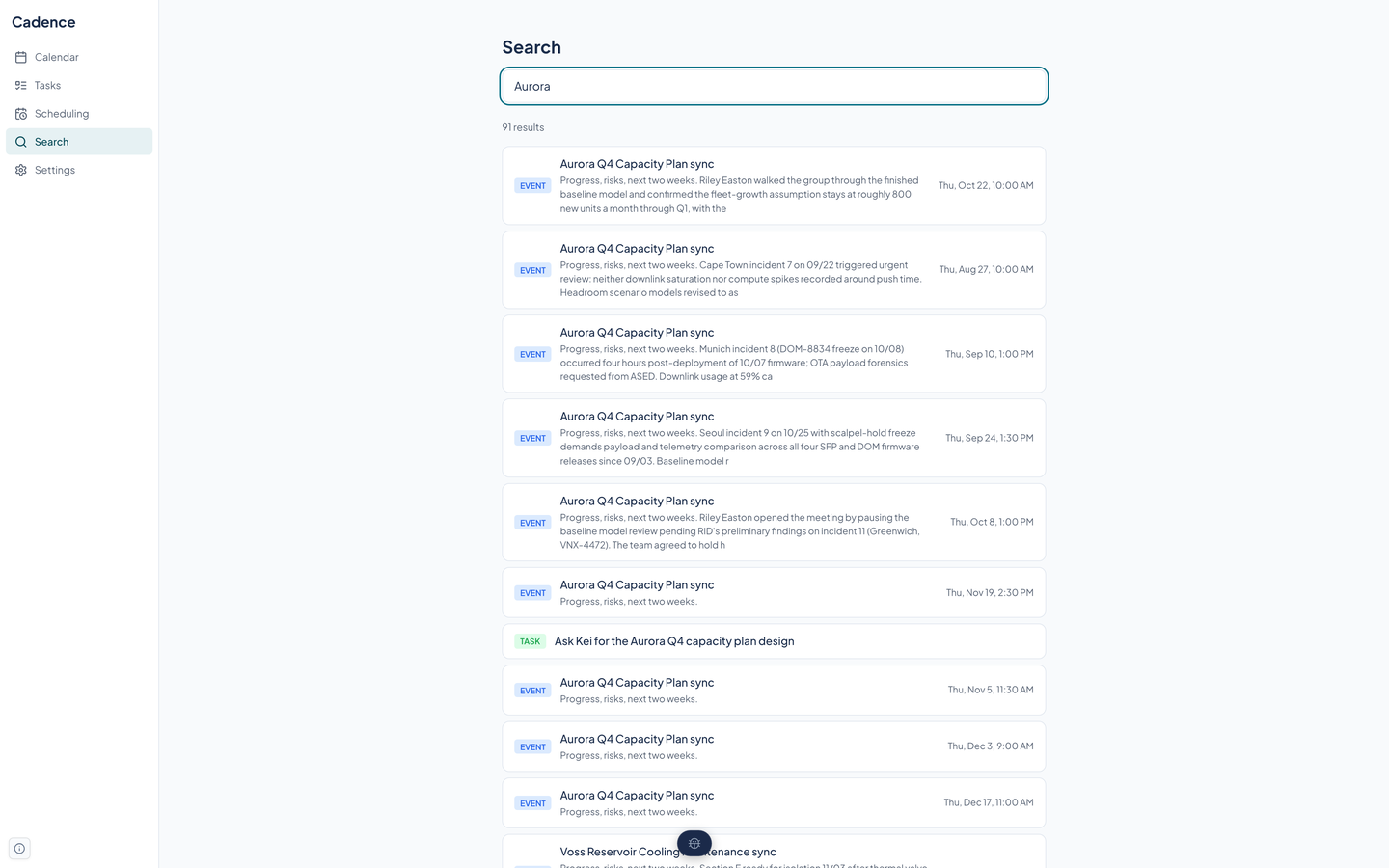
One search box across event titles, descriptions, places, and task titles and notes, with the best matches first and a count of results.
Connect Google, Microsoft 365, iCloud, Fastmail, or any CalDAV server. Cadence pulls remote changes, pushes yours, and keeps the provider's version when the two disagree.
Beacon's campaigns and content show on a Marketing calendar. Slate's tasks appear on a calendar too, and checking one off in Cadence checks it in Slate.
Import iCalendar and CSV files, export a calendar as iCalendar, publish a read-only feed with a token you can rotate, or subscribe to someone else's feed. These run through the API and agent tools today.
Real captures of the running tool, with fictional StrataForge Robotics data. They follow your theme.
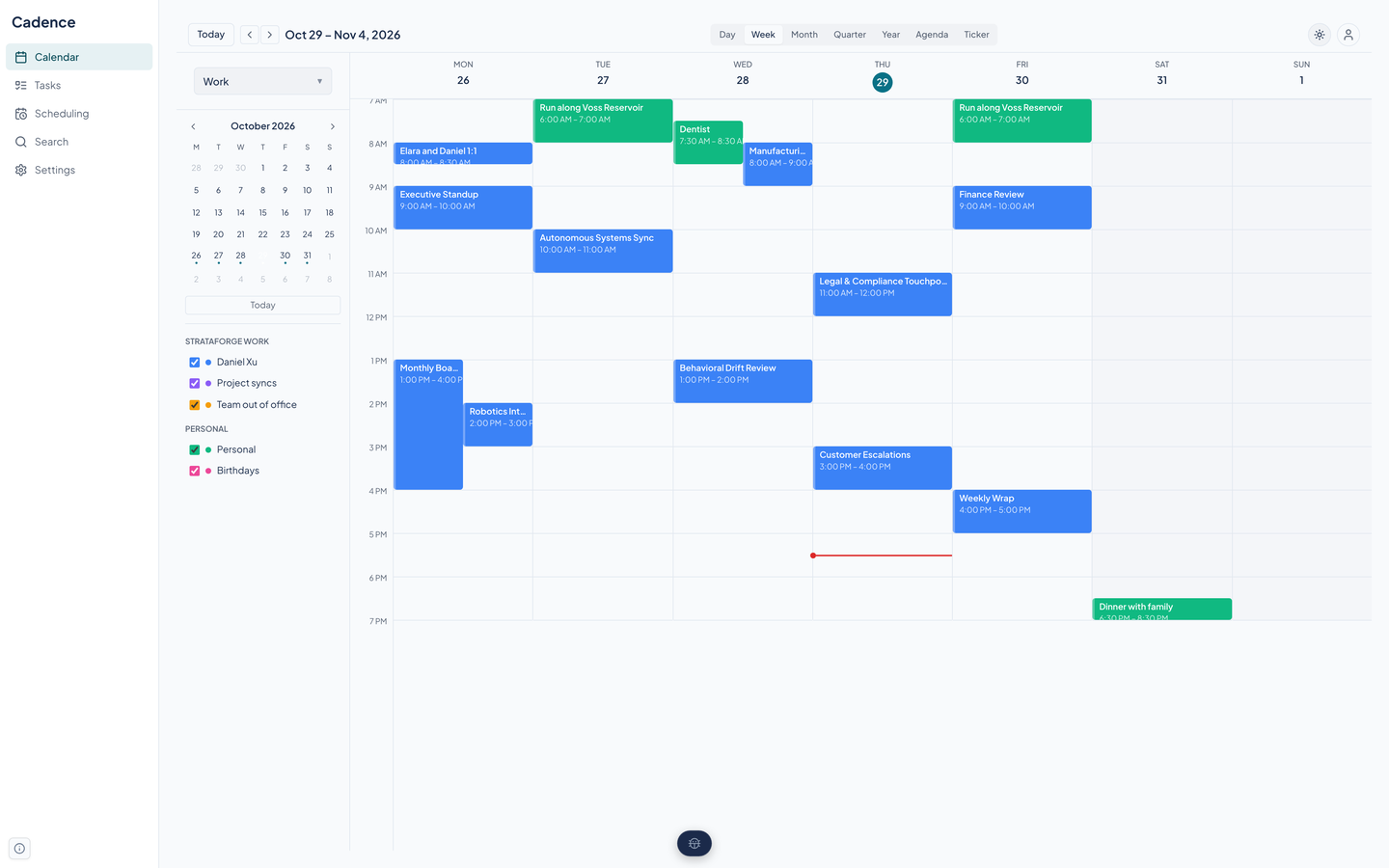
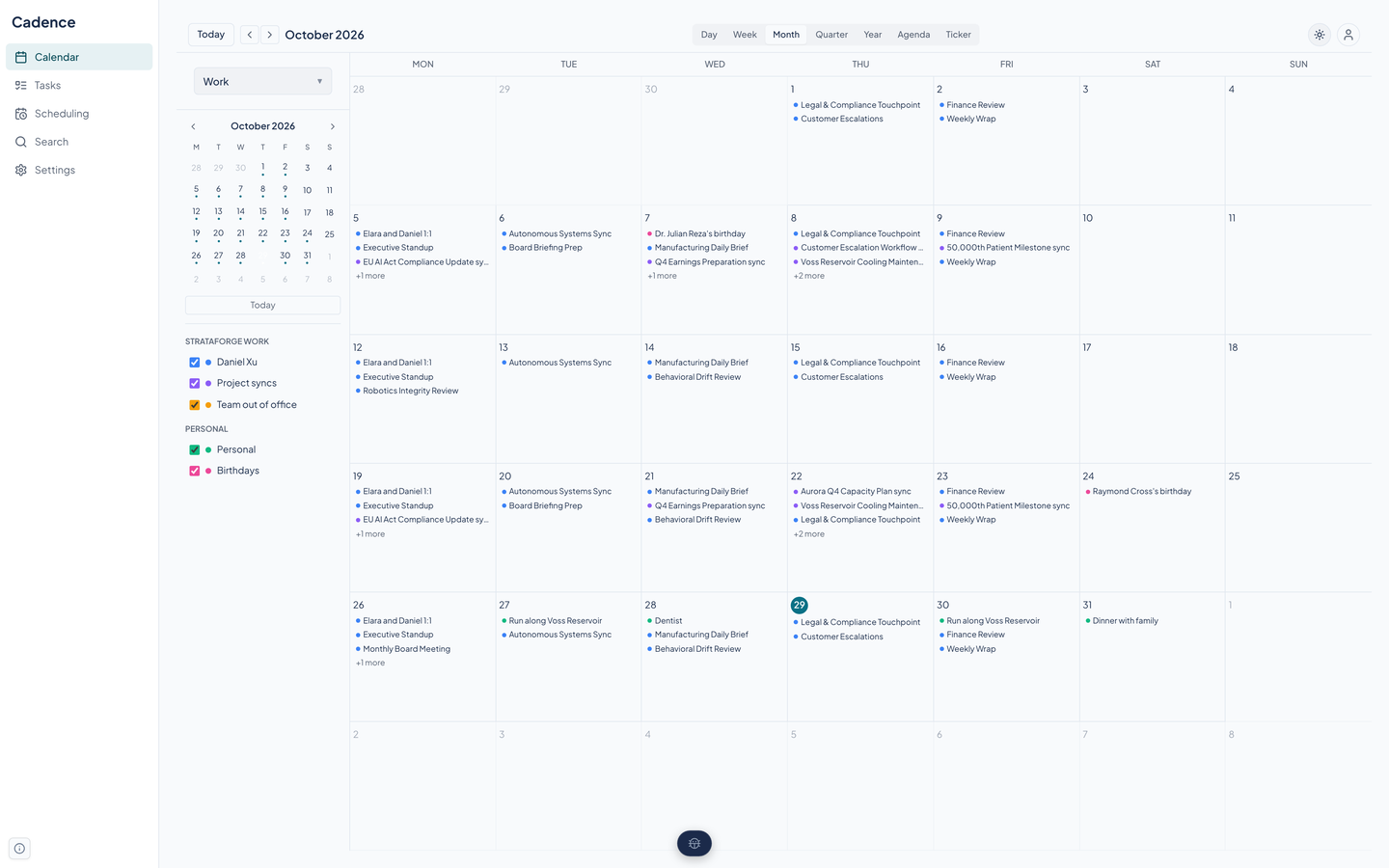
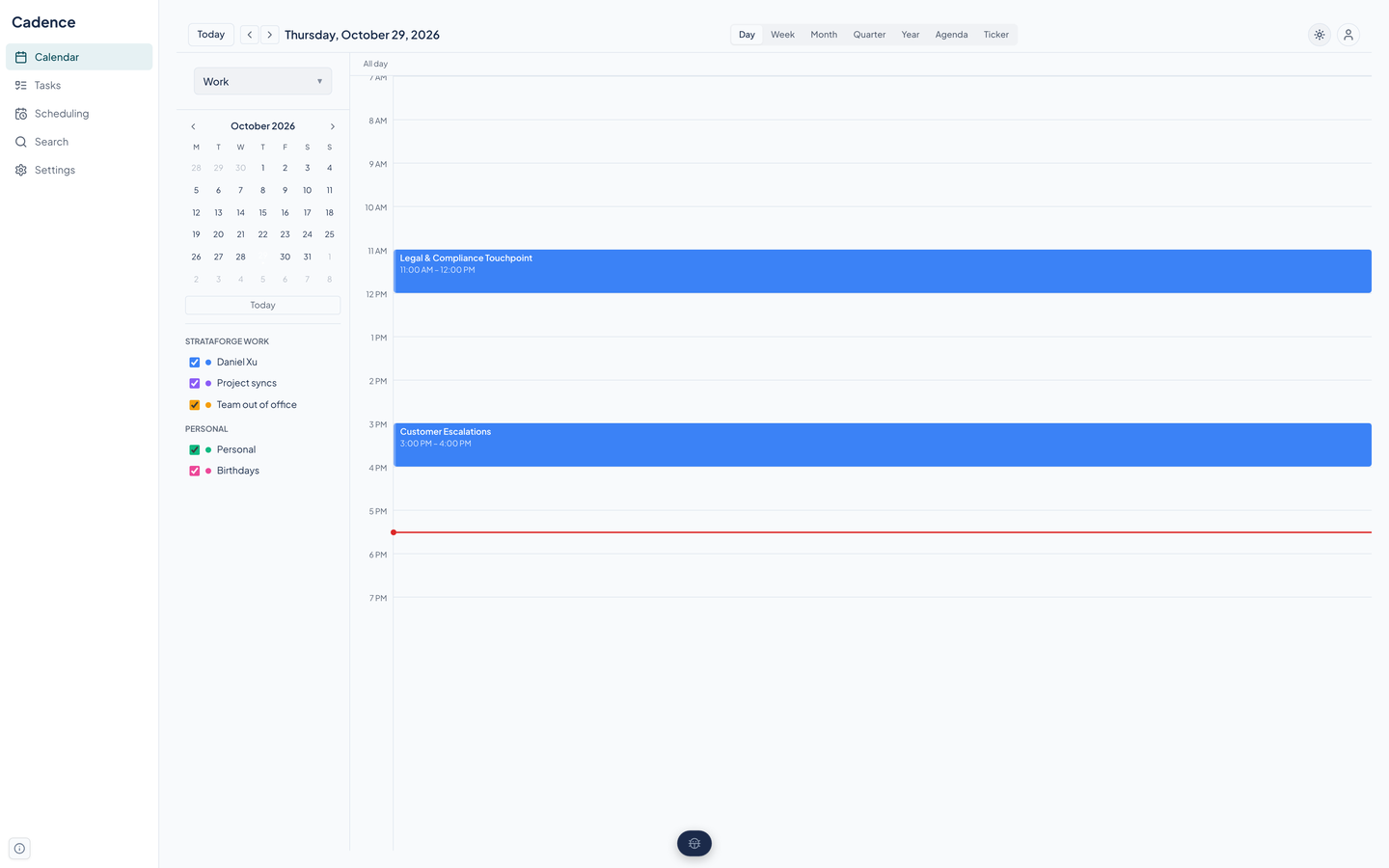
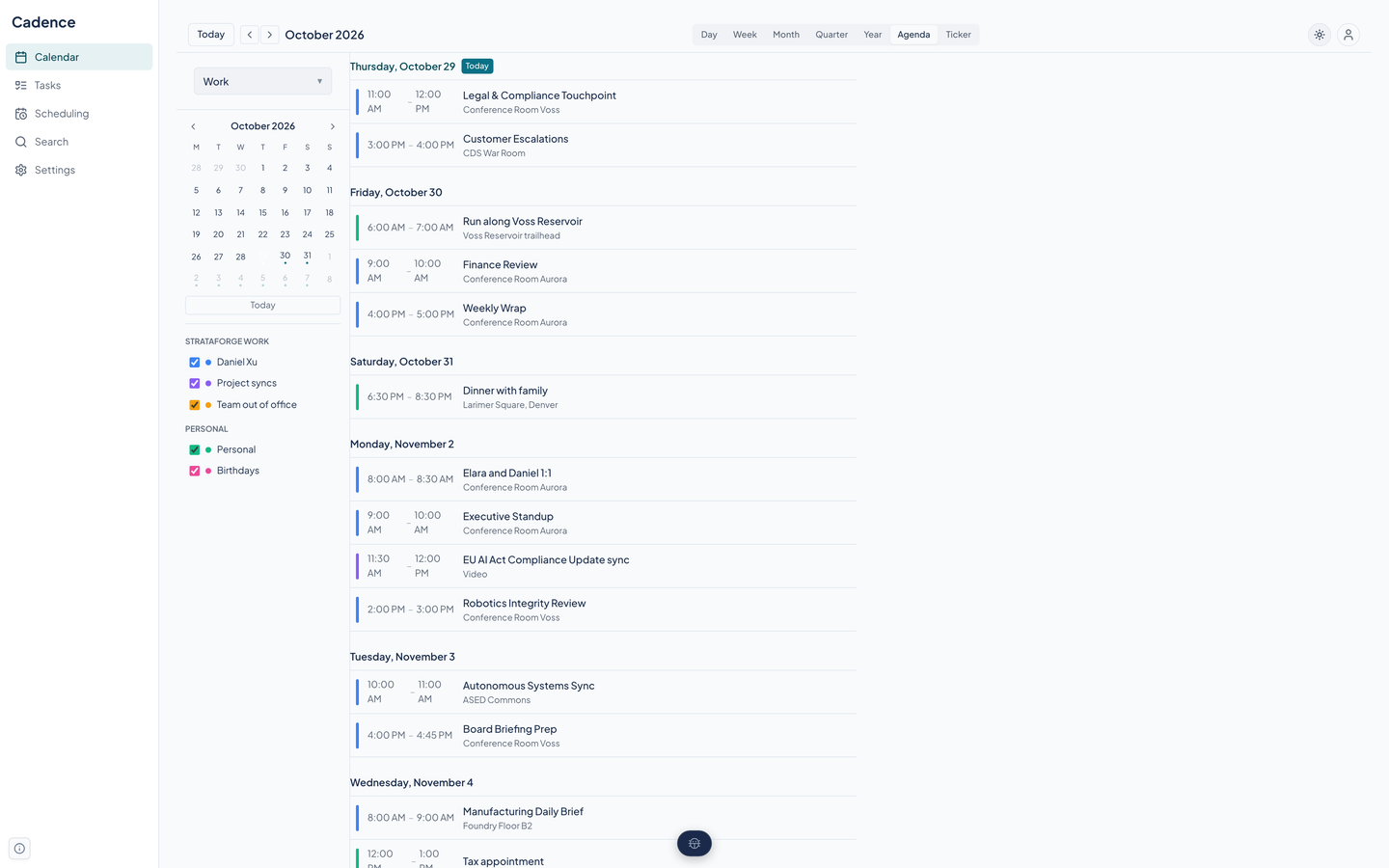
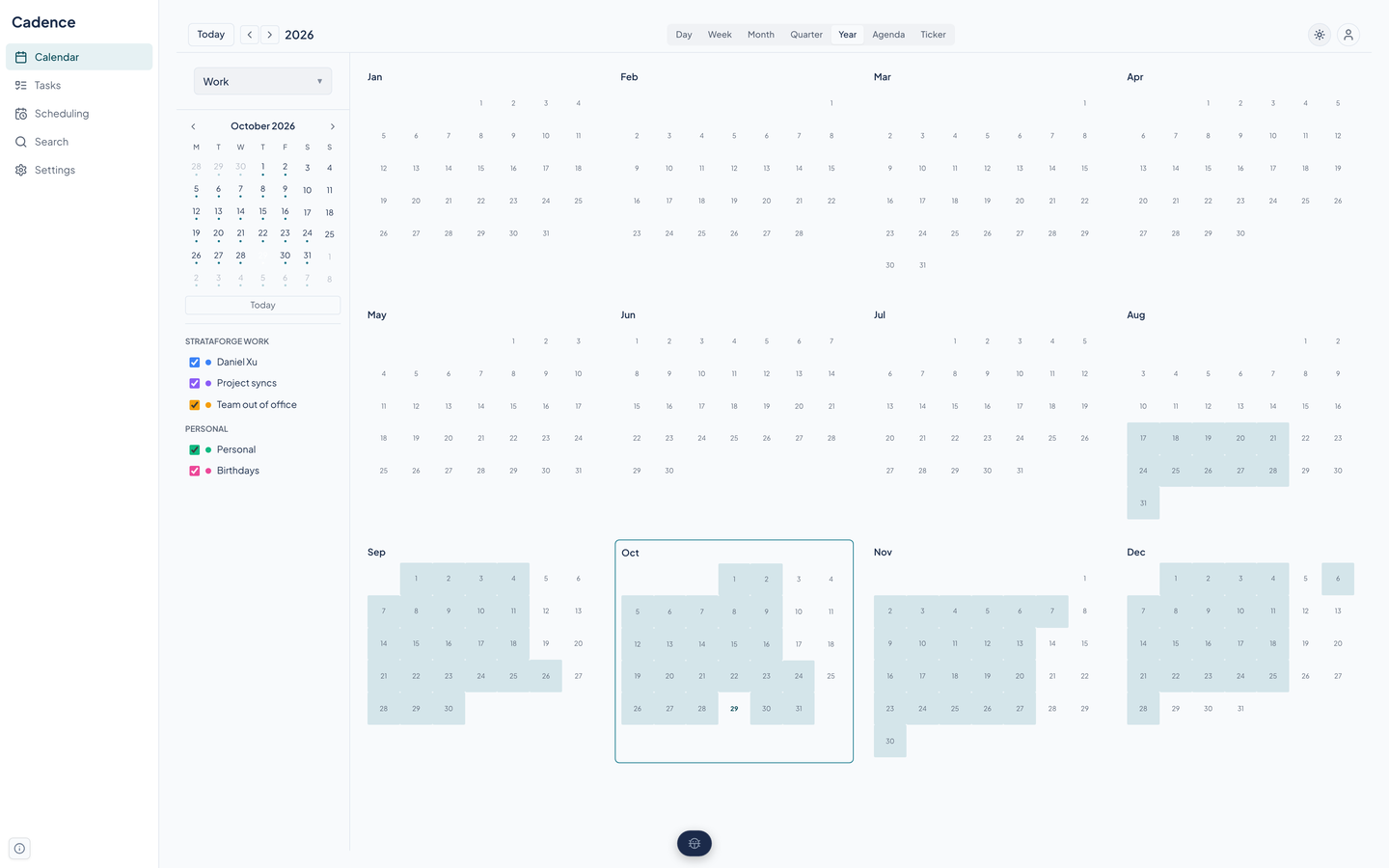
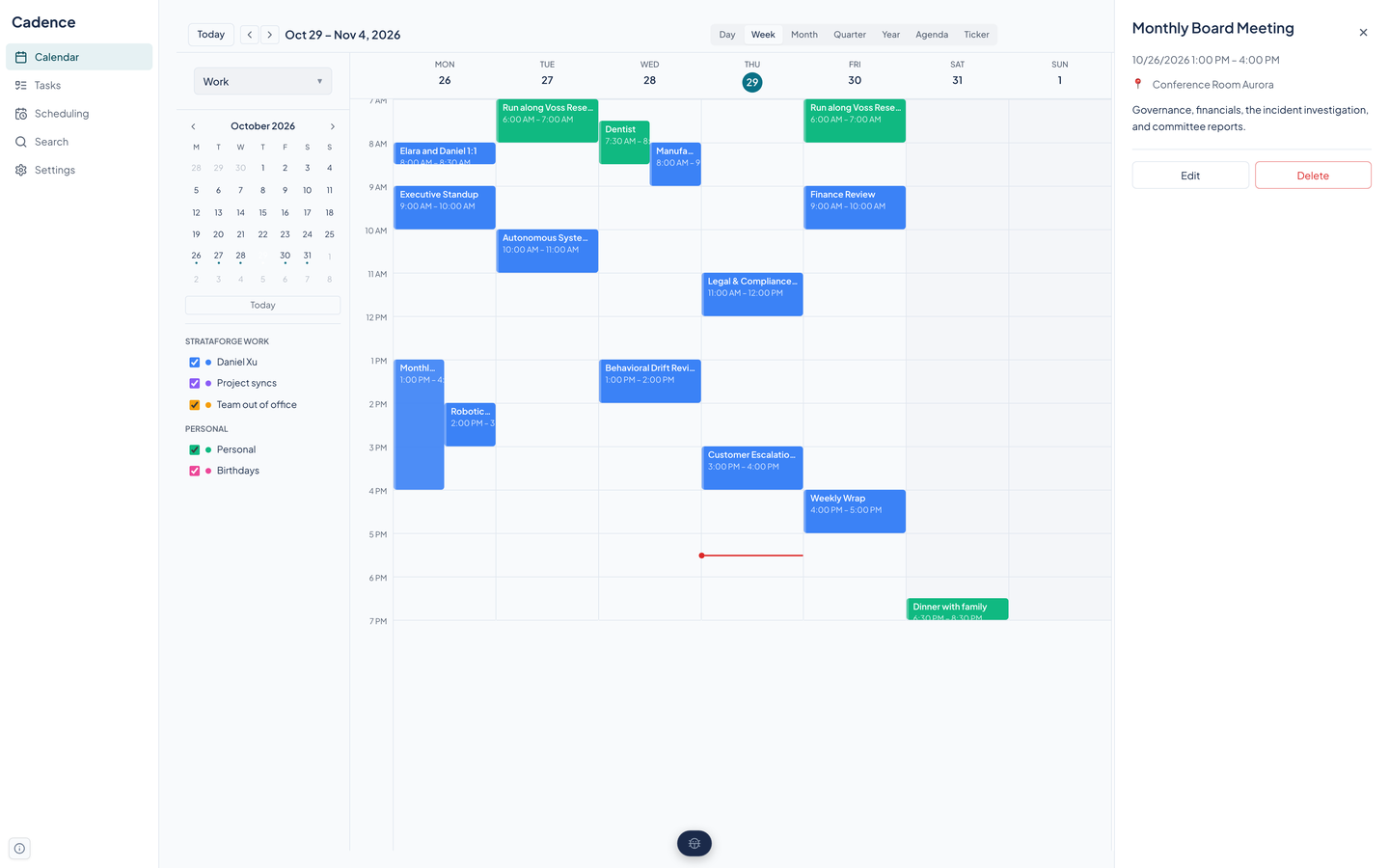
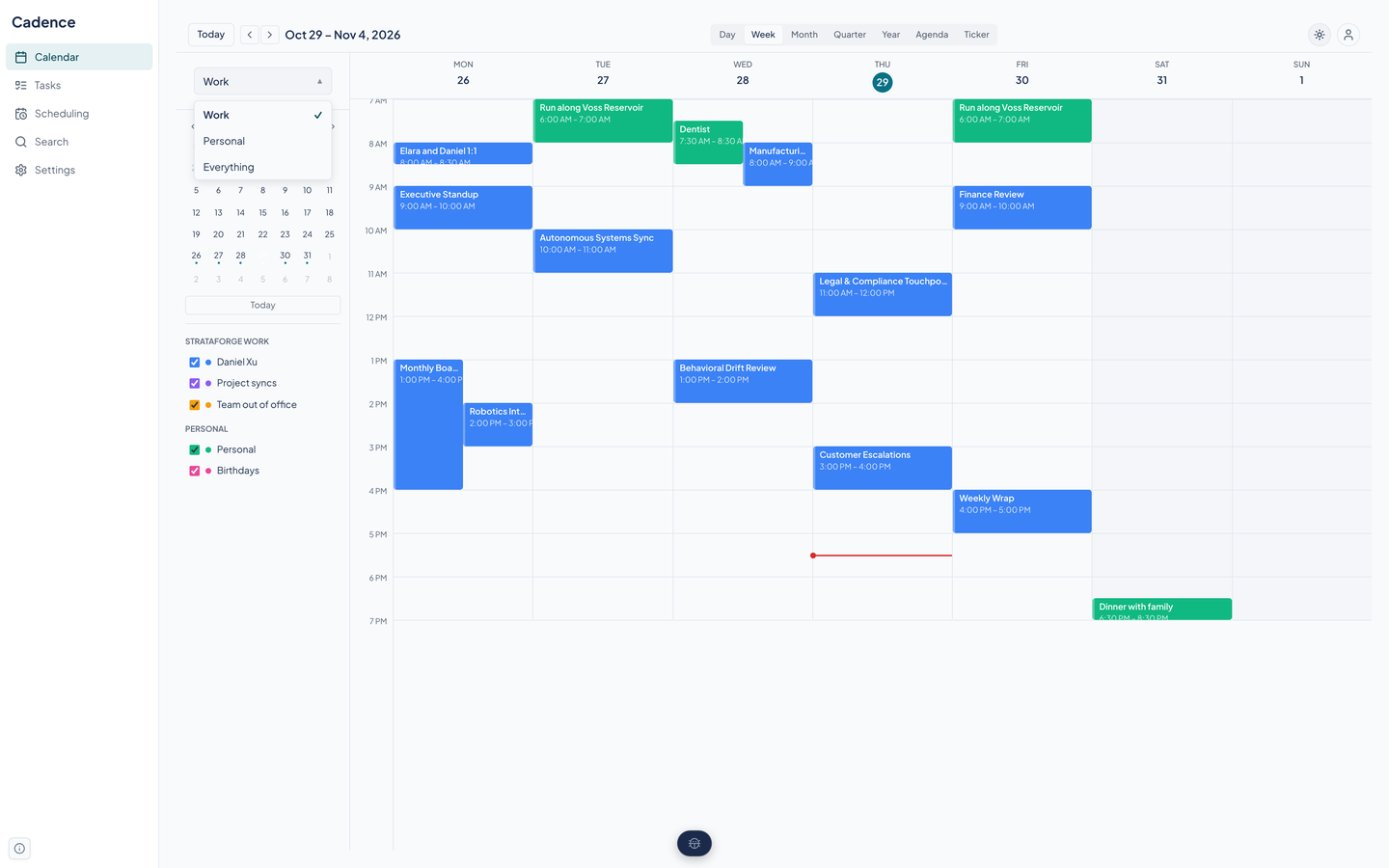
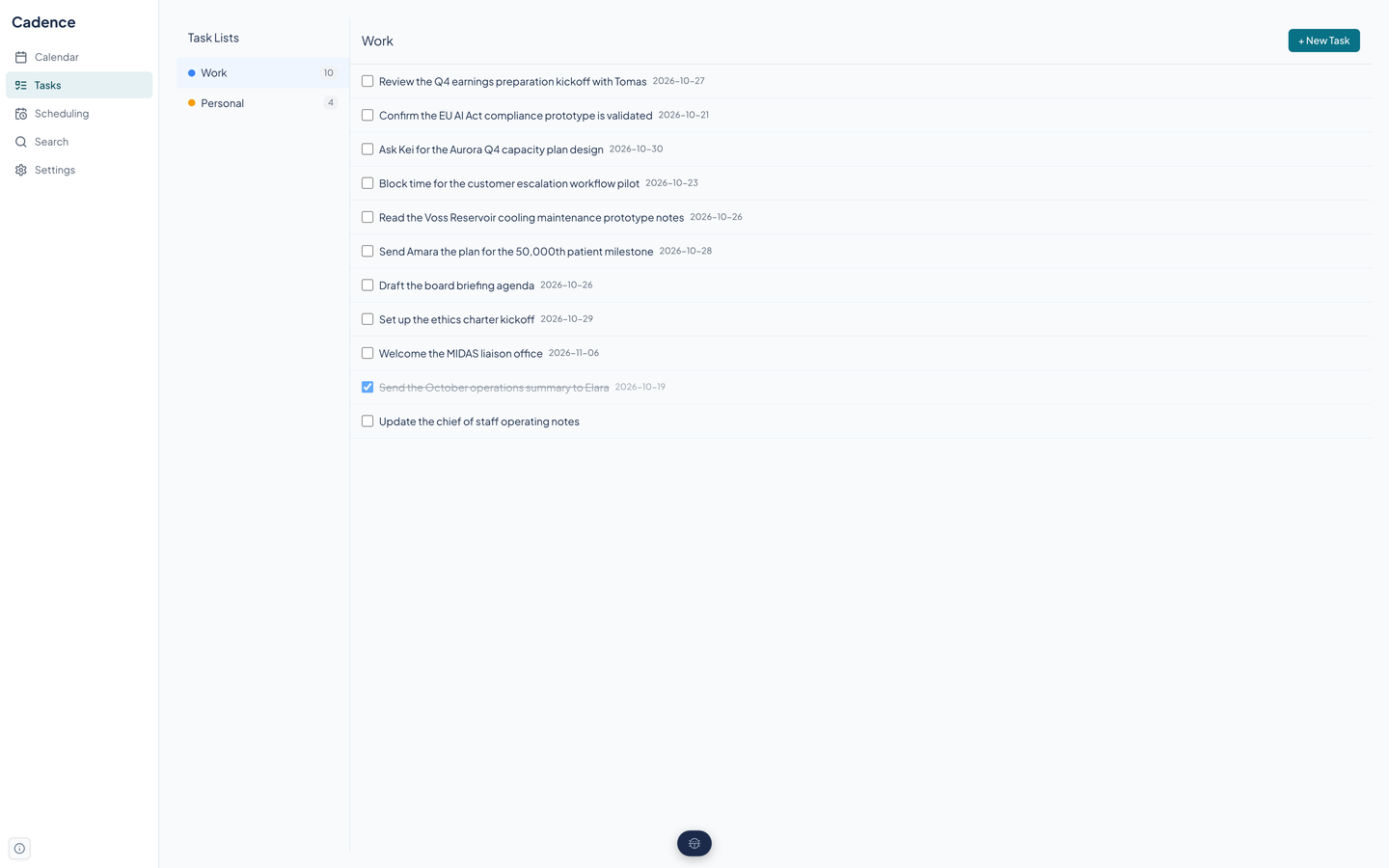
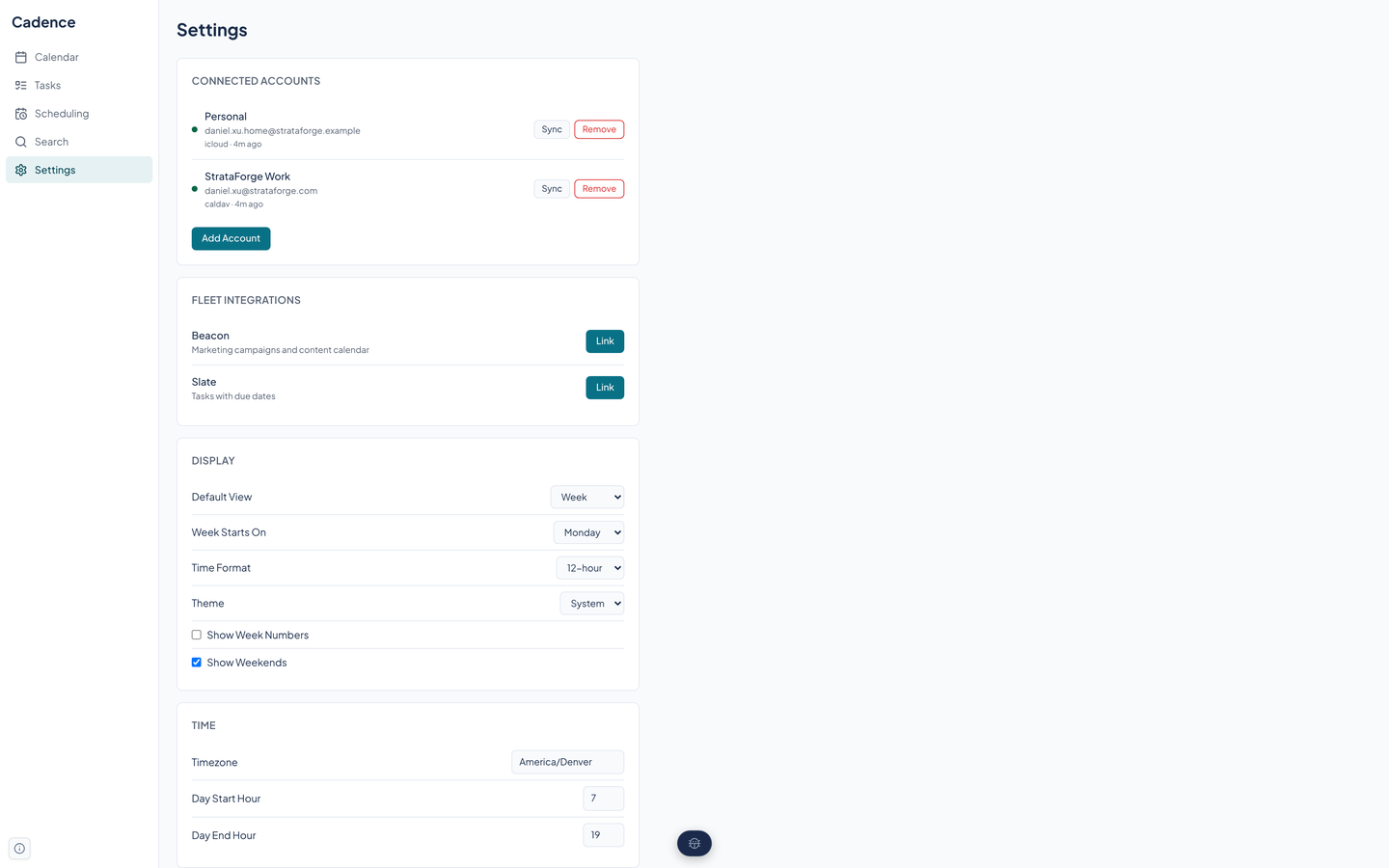
Add an account in Settings. Google and Microsoft use their own sign-in screens; CalDAV, iCloud, and Fastmail take a server and credentials. Tokens are stored encrypted.
Cadence pulls each account's calendars and events, pushes your changes back, and shows everything together, one color per calendar.
Pick a calendar set and a view. Work shows work; Everything shows it all.
Share a booking link or a time poll. The slot someone picks becomes an event on your calendar.
Cadence is a web app, and this is what its code and tests show today. It has landmarks, visible focus, single-key view shortcuts, and an automated axe scan that passes. It has not been tested with a screen reader, and most of its other claims rest on code and jsdom tests, not on a person using it. We do not claim a conformance level for the app.
Partly supported
The calendar has single-key shortcuts for the Day, Week, Month, Year, and Agenda views (D, W, M, Y, A), the left and right arrow keys for the previous and next period, a period for today, Escape to close a panel, and a question mark that opens the shortcut list. Shortcuts are ignored while you type in a field. Events in the grid take Tab focus and open with Enter. The Quarter and Ticker views have no shortcut. Nobody has walked every flow with only a keyboard.
Partly supported
The page has labeled landmarks (main navigation, page content, calendar navigation), labeled buttons, and decorative icons hidden from assistive technology. An automated axe-core scan of the app and each page finds no violations. Cadence has not been tested with VoiceOver, NVDA, or any other screen reader, and the calendar grid has no table or grid semantics, so how it reads aloud is unknown.
Partly supported
Cadence's teal accent measures 5.63 to 1 against white in light mode and 4.60 to 1 against the dark card color in dark mode, both above 4.5 to 1. On the design system's shaded surfaces the same accent is weaker: the kit's measurement of the shared tokens gives as low as 4.27 to 1 in light and 4.09 to 1 in dark for accent-colored text, which is below 4.5 to 1. The rest of the palette comes from the Renkara design system and has not been measured in the app. The automated scan runs in jsdom, which does not compute contrast. Events use their calendar's color with white text, and those combinations are unmeasured, so a pale calendar color could fail.
Partly supported
The design system's global stylesheet shortens every animation and transition to almost nothing when the system asks for reduced motion, and the public outreach page has its own reduced-motion rule. This was read from the stylesheets and not checked in a browser with the setting turned on.
Not yet tested
Nobody has tested Cadence at larger text sizes or browser zoom. Some labels in the grid are set in small fixed sizes, so large text may crowd or clip them.
Partly supported
Below a tablet width the sidebar collapses to icons, and on a phone it becomes a menu behind a hamburger button. The calendar, tasks, and scheduling pages have mobile rules in their code. No one has run the app in a browser at 375 pixels for this site, so the layout of each view on a phone is unverified.
| Backend |
|
|---|---|
| Frontend |
|
| Calendars and sync |
|
| Natural language parser |
|
| Agents and API |
|
| Quality |
|
| Stands in for | Fantastical, Google Calendar |
Beacon's campaigns and content appear on a Marketing calendar, and Beacon can request outreach scheduling proposals.
Slate's tasks appear on a calendar, and checking one off in Cadence checks it in Slate.
Atlas's /meet command creates a Cadence event from plain language, after you confirm it.
Cadence ships an MCP server so a coding or planning agent can read and run your calendar: create events from a sentence, check availability, build booking links, vote on a poll, and sync an account.
list_eventsget_eventcreate_eventupdate_eventdelete_eventduplicate_eventsearch_eventsget_upcomingparse_eventlist_calendarsupdate_calendarlist_calendar_setscreate_calendar_setupdate_calendar_setdelete_calendar_setswitch_calendar_setlist_tasksget_taskcreate_taskupdate_taskdelete_tasklist_overdue_taskslist_task_listscreate_task_listupdate_task_listdelete_task_listget_availabilitycreate_openinglist_openingsget_openingdelete_openingbook_openingcreate_proposallist_proposalsget_proposalvote_on_proposalfinalize_proposallist_accountscreate_accountdelete_accountsync_accountget_fleet_statuslink_beaconunlink_beaconlink_slateunlink_slateenable_feedexport_calendarlist_subscriptionscreate_subscriptiondelete_subscriptionrefresh_subscriptionlist_templatescreate_templateupdate_templatedelete_templateget_weatherget_weather_forecastget_settingsupdate_settingscheck_service_healthget_diagnosticsNot yet. Cadence is built and tested, but it is not running in production, and the Aerie launcher lists it as coming soon. This site shows it running locally on a fictional company's data. To ask about access, write to contact@renkara.com.
Every screenshot shows the calendar of Daniel Xu, Chief of Staff at StrataForge Robotics, the fictional company from the novel The Deferral. The meetings, people, and tasks are made up. No real calendar appears anywhere on this site.
Not yet. Today events come from your connected accounts, from bookings, and from the API and agent tools, which can turn a sentence into an event. The in-app natural language bar and event form are built but not placed on the calendar page.
Not for ordinary events. Attendees and their responses are stored, and alert times are stored, but nothing sends an invitation or fires a reminder yet. Outreach bookings are the exception: Cadence tracks their delivery and responses.
Only when you use the natural language parser and its own rules are not confident enough. Then the sentence is sent to a hosted model, Mercury 3, to be read again. Nothing else in Cadence calls a language model.
No. Cadence is a web app with a phone layout. There is no iPhone, iPad, or Mac version.
Write to Renkara Media Group and a person will answer.